

Updated May 2024.
The world of work has irrevocably shifted, opening doors to unprecedented flexibility and the enticing possibility of working from anywhere. For many professionals, the traditional office has been replaced by the flexibility of a vacation rental workcation. Remote workers are increasingly discovering that swapping their home desk for a beachfront balcony, a mountain cabin with stunning views, or a vibrant city apartment offers the perfect blend of professional focus and personal rejuvenation.
But how do you transition from a traditional home office to a temporary workspace in an unfamiliar location without missing a beat? The key lies in meticulous planning and a strategic setup. This comprehensive guide is designed to equip you with all the expert knowledge and practical tips you need to orchestrate a successful remote getaway. We’ll delve into everything from selecting the perfect rental with robust connectivity to creating an ergonomic workspace, managing family dynamics, and ensuring you fully immerse yourself in your chosen destination. For vacation rental owners and property managers, understanding the specific needs of this growing demographic is also key to attracting long-term, reliable bookings. Prepare to unlock the full potential of remote work, transforming your next getaway into a productive and memorable adventure for everyone involved.
Types of Workcation Destinations and How to Choose the Right Rental
The foundation of a successful workcation begins with selecting the right destination and, crucially, the perfect vacation rental. This decision impacts not only your work environment but also your family’s experience and overall well-being. Consider these critical factors:
- Climate and Environment: Do you thrive in sunshine, crave mountain air, or prefer the buzz of a city? Your preferred climate will dictate your destination. Think about seasonal variations, too; a winter workcation in a snowy locale offers a different vibe than a summer beach escape.
- Time Zone Alignment: For many remote workers, staying within or close to your primary work time zone is paramount to avoiding scheduling conflicts and maintaining team collaboration. If you have the flexibility, exploring new time zones can be an adventure, but be mindful of potential impact on meeting schedules.
- Connectivity and Infrastructure: This is non-negotiable. Research destinations known for reliable internet infrastructure. While a secluded cabin sounds idyllic, ensure it doesn’t come at the cost of your broadband connection. Check for local coworking spaces as a backup.
- Local Amenities and Activities: Beyond work, what do you and your family want to do? Access to grocery stores, restaurants, parks, cultural sites, and recreational activities (beaches, hiking trails, ski slopes) is vital for leisure and family engagement.
- Family Needs and Interests: If traveling with family, their needs are paramount. Look for destinations with kid-friendly attractions, safe environments, and activities that cater to various age groups. A rental with a backyard, pool, or proximity to playgrounds can be a game-changer.
Selecting the Perfect Vacation Rental
Once you have a destination in mind, the rental itself becomes the focus. Don’t just look for aesthetics; prioritize functionality for your workcation:
- Dedicated Workspace: While a kitchen counter might suffice for a short trip, a workcation demands more. Look for rentals explicitly advertising a dedicated workspace, office, or at least a desk and an ergonomic chair in a quiet area. Many hosts are now highlighting these features due to the rise of workcations.
- Robust Wi-Fi: This is your lifeline. Don’t rely solely on a listing’s Wi-Fi checkmark. Read reviews for comments on internet speed and reliability. Consider messaging the host directly to ask about speeds (e.g., ‘What’s the typical download/upload speed?’) and if they have a backup plan (e.g., a mobile hotspot).
- Quiet Zones: If you’re traveling with family, having a separate room or a corner where you can take calls without interruption is invaluable. Look at floor plans and consider soundproofing if possible.
- Essential Kitchen: A well-equipped kitchen allows for healthier, more budget-friendly meals, reducing the need to eat out constantly. This is particularly important for longer stays and families.
- Family-Friendly Features: For families, amenities like a fenced yard, high chair, crib, child-safe outlets, or even a game room can significantly enhance the experience. You can learn more about top family-friendly vacation rental amenities to know exactly what to look for.
- Positive Reviews: Always read recent reviews, paying close attention to comments about cleanliness, host responsiveness, internet quality, and the accuracy of the listing description.
The Science of Seamless Connectivity and Tech Setups

Your workcation’s success hinges on your ability to stay connected and productive. A robust tech setup is not just a luxury; it’s a necessity. Here’s what you need to prioritize:
Reliable Internet: Your Non-Negotiable Lifeline
This is the single most critical component. Without it, your workcation becomes a vacation where you can’t work. According to Airbnb’s 2023 Q4 earnings call data, ‘fast Wi-Fi’ is consistently one of the most searched amenities, underscoring its importance for modern travelers.
- Verify Speeds: As mentioned, ask your host for specific internet speed details. A minimum of 25 Mbps download and 3-5 Mbps upload is generally recommended for video calls and cloud-based work for one person, but more is better, especially for multiple users or high-bandwidth tasks.
- Backup Solutions: Always have a Plan B.
- Mobile Hotspot: Your smartphone can often act as a personal hotspot. Check your data plan for allowances. Consider a dedicated mobile hotspot device for better reliability and battery life.
- Local SIM Card: If traveling internationally, purchasing a local SIM card with a data plan can be more cost-effective and provide better coverage than international roaming.
- Coworking Spaces: Research local coworking spaces in your destination. These can offer a professional environment and guaranteed high-speed internet for critical tasks or meetings.
- Ethernet Connection: If your work is extremely bandwidth-intensive or requires the utmost stability, inquire if the rental has an ethernet port. Bringing your own ethernet cable can provide a more stable connection than Wi-Fi.
Your Portable Office Hardware
While you can’t bring your entire office, a few key pieces of hardware can dramatically improve your productivity and comfort:
- External Monitor: A portable monitor or a lightweight second monitor can replicate your dual-screen setup, significantly boosting productivity. Many remote workers find a second screen indispensable.
- Ergonomic Keyboard and Mouse: Your laptop’s built-in keyboard and trackpad are fine for short bursts, but for full workdays, an ergonomic keyboard and mouse prevent strain and increase efficiency.
- Noise-Cancelling Headphones: Essential for focused work, virtual meetings, and minimizing distractions, especially in a shared rental or busy environment.
- High-Quality Webcam: While most laptops have built-in webcams, an external one often offers superior video quality, crucial for professional video calls.
- Power Bank/Portable Charger: For your phone, tablet, or even a laptop, a powerful power bank ensures you’re never caught with a dead battery, especially during excursions or power outages.
- Universal Power Adapter and Surge Protector: If traveling internationally, a universal adapter is a must. A small surge protector with multiple outlets is also invaluable for protecting your electronics and charging multiple devices from a single outlet.
Software and Security Essentials
- VPN (Virtual Private Network): Crucial for digital security, especially when connecting to public Wi-Fi networks in cafes or airports. A VPN encrypts your internet traffic, protecting sensitive data.
- Cloud Storage: Ensure all your work files are accessible via cloud services (Google Drive, Dropbox, OneDrive) so you don’t need to rely solely on your device’s local storage.
- Communication Tools: Have all your essential communication platforms (Slack, Zoom, Microsoft Teams) downloaded, updated, and ready to go.
- Backup Software: Regularly back up your laptop to an external drive or cloud service before and during your trip.
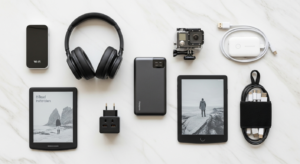
Expert Tip: Before you leave, conduct a ‘dry run’ of your tech setup. Test your VPN, ensure all chargers are packed, and confirm software updates are complete. Pack a small tech kit with essential cables, adapters, and a multi-tool. Statistics show that connectivity issues are a leading cause of workcation stress; proactive preparation can mitigate this significantly.
[INLINE IMAGE 2: A well-organized portable tech setup on a wooden desk featuring an external monitor, ergonomic keyboard, and noise-cancelling headphones.]
How Do You Craft a Productive Workspace in a Temporary Home?
Even the most beautiful vacation rental won’t automatically provide a productive workspace. You need to intentionally create one. This involves more than just finding a flat surface; it’s about optimizing your environment for focus and comfort.
Designating Your Work Zone
The first step is to establish a clear boundary between ‘work’ and ‘leisure’ areas within your rental. This is particularly vital when traveling with family. If you are a host reading this, consider designing a home office in your rental to attract premium remote-working guests.
- Identify a Dedicated Space: Ideally, this is a separate room or a quiet corner away from high-traffic areas. Look for rentals that specifically offer a ‘home office’ or a ‘den.’ If not, a dining table or a spacious bedroom corner can be adapted.
- Minimize Distractions:
- Visual Clutter: Keep your workspace tidy. Clear away personal items or vacation paraphernalia when you’re working.
- Auditory Distractions: Use noise-cancelling headphones. Communicate with your family about ‘quiet hours’ or ‘do not disturb’ signals when you’re in meetings or deep work.
- Natural Light is Your Friend: Position your workspace near a window if possible. Natural light boosts mood, reduces eye strain, and improves overall well-being. Avoid working with a window directly behind you during video calls, as it can silhouette you.
- Task Lighting: If natural light isn’t sufficient, ensure you have adequate task lighting. A good desk lamp can prevent eye fatigue, especially during evening work sessions.
Ergonomics on the Go
Maintaining good posture is crucial for preventing discomfort and injury, especially during extended work periods. Vacation rentals aren’t always equipped with ergonomic office furniture, so you’ll need to improvise.
- Chair Support: If the rental chair isn’t ideal, use pillows or rolled-up towels for lumbar support. A small cushion can also improve seat comfort.
- Screen Height: Elevate your laptop screen to eye level. You can use books, a sturdy box, or even a stack of magazines. This prevents neck strain.
- External Peripherals: This is where your portable keyboard and mouse come in. They allow you to maintain a more natural arm and wrist position, even if your laptop is elevated.
- Take Breaks: No matter how ergonomic your setup, regular breaks are essential. Stand up, stretch, walk around every 30-60 minutes. This is where the ‘vacation’ part of workcation truly benefits your health.
- Consider a Standing Desk Alternative: If you’re used to a standing desk, look for surfaces in the rental that can be adapted, like a high kitchen counter or a dresser.
Workcation Workspace Checklist
- [ ] Ergonomic chair support (pillows or cushions if needed)
- [ ] Elevated screen at eye level
- [ ] Dedicated quiet zone away from high-traffic areas
- [ ] Task lighting or abundant natural light
- [ ] External keyboard and mouse connected
Expert Insight: Research consistently shows that a well-defined workspace, even a temporary one, significantly increases focus and reduces stress for remote workers. By consciously setting up your area, you’re not just creating a place to work; you’re cultivating a mindset for productivity.
What Are the Best Strategies for Balancing Work and Family Time?

The allure of a workcation lies in its promise of blending work with exploration and family time. However, without intentional strategies, one can easily overshadow the other. The goal is harmony, not sacrifice.
Structuring Your Workday
- Set Clear Work Hours: Define your start and end times, just as you would in a traditional office. Communicate these hours to your family and colleagues. This helps manage expectations and creates boundaries.
- Time Blocking for Deep Work: Dedicate specific blocks of time for focused, uninterrupted work, especially for tasks requiring concentration. During these blocks, minimize distractions and politely ask family members to respect your ‘deep work’ time.
- Integrate Breaks Strategically: Don’t just work straight through. Plan short, active breaks to stretch, grab a snack, or step outside. Consider a longer break mid-day to enjoy a local activity or have lunch with your family. Studies indicate that regular short breaks can significantly boost productivity and reduce mental fatigue.
- Front-Load Important Tasks: Tackle your most demanding tasks when your energy levels are highest, typically in the morning. This ensures critical work gets done even if unexpected leisure opportunities arise later in the day.
Maximizing Leisure and Family Time
- Pre-Plan Activities: Research local attractions, restaurants, and activities before you arrive. Having a rough itinerary for leisure time prevents indecision and ensures you make the most of your surroundings.
- Schedule Family Time: Just as you schedule work, schedule dedicated family time. This could be a morning walk, an afternoon excursion, or an evening game night. Make these non-negotiable.
- Leverage Off-Peak Hours: If possible, plan sightseeing or family outings during off-peak times (e.g., mid-morning or late afternoon) to avoid crowds and maximize your enjoyment.
- Local Childcare Options: If you need extended periods of uninterrupted work, explore local childcare services, kids’ clubs at resorts, or even trusted local babysitters. You can read more about finding trusted services for your vacation rental guests or for your own family’s needs.
- Disconnect Completely: When your workday is officially over, make a conscious effort to disconnect. Close your laptop, put away your work phone, and fully engage in your vacation environment and with your family. This mental break is crucial for rejuvenation.
Expert Tip: Communicate openly with your family about your work schedule and their expectations for the trip. Involve them in planning leisure activities. When everyone understands the balance, the workcation experience is smoother and more enjoyable for all. Remember, the goal isn’t to work on vacation, but to work from a vacation destination. Also, keep an eye on emerging trends like digital nomad visas and purpose-built co-living spaces, which are making long-term family workcations easier than ever.
[INLINE IMAGE 4: A professional working on a laptop on a sunny balcony while their family plays in the pool in the background.]
Budgeting Categories and Logistical Planning for Extended Stays
A successful workcation requires more than just a good internet connection; it demands meticulous logistical planning and a realistic budget. Thinking ahead can save you stress and money.
Smart Booking and Travel Strategies
- Booking in Advance: For popular destinations or during peak seasons, booking your vacation rental and flights well in advance can secure better rates and a wider selection.
- Longer Stays, Better Value: Many vacation rentals offer significant discounts for weekly or monthly stays. A longer workcation can often be more cost-effective per night than several shorter trips. This also allows for deeper immersion in the local culture.
- Off-Peak Travel: If your schedule allows, consider traveling during the shoulder season or off-peak months. You’ll often find lower prices for rentals and flights, fewer crowds, and a more authentic local experience. Understanding vacation rental pricing strategies and seasonal demand can help you pinpoint the best times to book.
- Flexible Dates: If you have flexibility, use ‘flexible date’ search tools on travel sites to pinpoint the cheapest days to fly or book.
- Transportation:
- Flights: Book connecting flights strategically to minimize layovers. Consider budget airlines, but be mindful of baggage fees.
- Car Rental: Essential for many destinations, especially if you plan to explore beyond walking distance. Book in advance, compare prices, and understand insurance options.
- Local Transport: Research public transportation, ride-sharing services, or bike rentals. This can save money and provide a more local experience.
Budgeting Beyond the Rental
Your workcation budget extends far beyond the rental cost. Factor in these often-overlooked expenses, and check out our cost-saving tips for vacation rental stays for deeper insights:
- Food and Groceries: While cooking in your rental kitchen saves money, factor in grocery costs. Research local markets for fresh produce. Allocate funds for occasional dining out to experience local cuisine.
- Activities and Excursions: Set aside a specific budget for sightseeing, tours, local attractions, and any family-friendly activities. Prioritize what’s most important to you.
- Utilities and Fees: Some rentals might charge extra for utilities (especially for long-term stays), cleaning fees, local tourism taxes, or pet fees. Always read the fine print.
- Travel Insurance: Highly recommended. It can cover trip cancellations, medical emergencies, lost luggage, and even rental car damage.
- Emergency Fund: Always have a contingency fund for unexpected expenses, whether it’s a medical issue, a flight delay, or an unforeseen repair.
- Work-Related Costs: Don’t forget potential costs like local SIM cards, coworking space fees, or specific adapters you might need.
Comparison Table: Workcation Destination Types
To help you visualize your options, here’s a booking direct vs. Airbnb/Vrbo costs comparison of common workcation destination types:
| Feature | City Workcation | Beach Workcation | Mountain/Nature Workcation |
|---|---|---|---|
| Typical Environment | Urban, vibrant, cultural hubs | Coastal, sunny, relaxing | Secluded, scenic, adventurous |
| Connectivity (Avg.) | Excellent (fiber, 5G) | Good to excellent (depends on development) | Variable (can be challenging in remote areas) |
| Coworking Access | Abundant | Limited to moderate | Very limited |
| Leisure Activities | Museums, dining, shopping, nightlife, parks | Swimming, surfing, sunbathing, water sports | Hiking, skiing, biking, wildlife viewing, peace |
| Family-Friendliness | High (museums, zoos, theme parks) | High (beach play, water activities) | Moderate (nature exploration, adventure sports) |
| Rental Pricing (Avg.) | High (apartments, lofts) | Moderate to High (condos, villas) | Moderate (cabins, chalets) |
| Logistical Complexity | Low (public transport, amenities close) | Moderate (car often needed) | High (car almost always needed, limited services) |
Expert Advice: Create a detailed spreadsheet for your budget, tracking estimated costs versus actual expenses. This proactive approach allows you to adjust spending as needed and prevents unpleasant financial surprises during your workcation.
The Importance of Health, Wellness, and Digital Security
A workcation should leave you feeling refreshed, not run down. Prioritizing your health, wellness, and safety is paramount to ensuring a truly beneficial experience for yourself and your family.
Maintaining Your Well-being
- Stick to Healthy Routines: It’s easy to let healthy habits slide while traveling. Try to maintain your regular sleep schedule, incorporate exercise (even a brisk walk), and make conscious choices about nutritious meals. Your rental’s kitchen is a great asset here.
- Mindfulness and Stress Management: The change of scenery can be invigorating, but new environments can also bring subtle stressors. Dedicate time for mindfulness, meditation, or simply enjoying the view. Balance work intensity with moments of relaxation.
- Stay Hydrated: Especially important if you’re in a warmer climate or engaging in more physical activities. Always carry a reusable water bottle.
- Prioritize Movement: Combat the sedentary nature of remote work by actively seeking opportunities to move. Explore your surroundings on foot, use the rental’s pool, or find a local gym. Even short stretching breaks throughout your workday make a difference.
Safety and Security
- Research the Area: Before booking, research the safety of the neighborhood and destination. Read traveler reviews and local news.
- Rental Security: Check for secure locks on doors and windows. Inquire if the rental has an alarm system or exterior lighting. Always lock up when you leave and at night.
- Emergency Contacts: Keep a list of local emergency numbers (police, fire, ambulance), the host’s contact information, and the address of the nearest medical facility easily accessible.
- Medical Preparedness:
- First-Aid Kit: Pack a basic first-aid kit with essentials like pain relievers, bandages, antiseptic wipes, and any personal medications.
- Prescriptions: Ensure you have an adequate supply of any prescription medications. Carry a copy of your prescriptions and a doctor’s note, especially for international travel.
- Insurance: Reiterate the importance of comprehensive travel and health insurance. Understand what it covers and how to access care in your destination.
- Digital Security: Be cautious when using public Wi-Fi networks (e.g., cafes, airports). Always use a VPN, avoid accessing sensitive information, and ensure your devices have up-to-date antivirus software.
- Share Your Itinerary: Inform a trusted friend or family member of your travel plans, including your rental address and expected return date.
Expert Insight: A 2023 survey by the Global Wellness Institute highlighted that travel focused on well-being is a rapidly growing trend. Incorporating wellness practices into your workcation not only prevents burnout but enhances your overall experience, making you more productive and happier.
How Can You Maximize Property Amenities for Work and Play?
Your chosen vacation rental isn’t just a place to sleep and work; it’s a crucial part of your workcation experience. Leveraging its amenities can significantly enhance both your productivity and your leisure time.
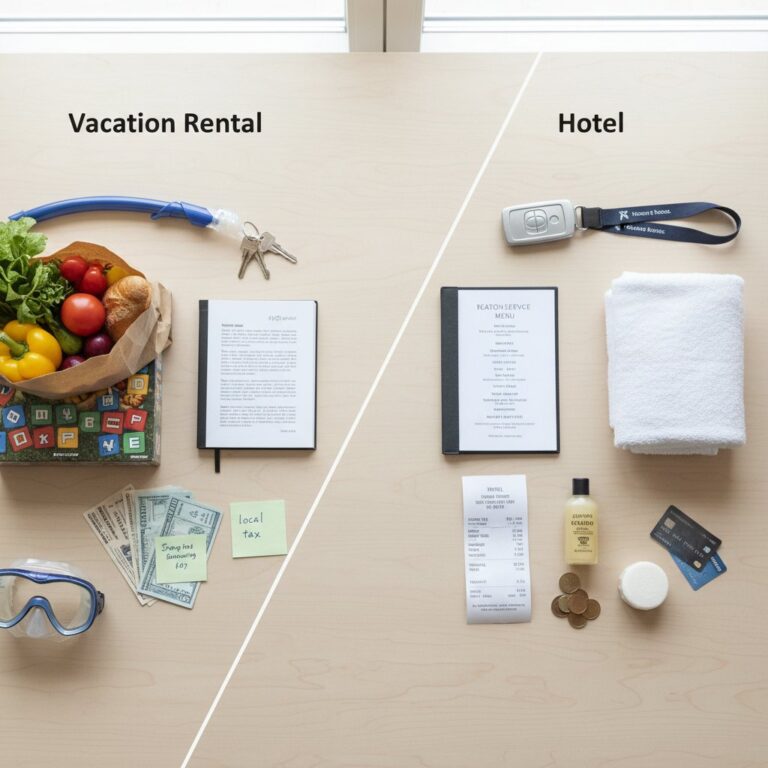
- The Fully Equipped Kitchen: This is a major advantage over hotels.
- Healthy Meals: Prepare your own breakfasts, lunches, and even dinners. This allows for healthier eating, caters to dietary restrictions, and saves a substantial amount of money compared to eating out.
- Coffee/Tea Setup: Ensure the rental has a coffee maker or kettle. Stock up on your favorite beans or tea bags to start your workday right.
- Family Dining: Enjoy family meals together at a dining table, fostering connection and creating a semblance of home.
- Outdoor Spaces (Patios, Balconies, Yards):
- Al Fresco Work: If the weather permits and Wi-Fi extends, consider taking calls or doing light work outdoors for a change of scenery and a dose of fresh air.
- Relaxation: These spaces are perfect for morning coffee, evening cocktails, or simply unwinding after work.
- Family Play: A fenced yard or a safe patio allows children to play freely, giving you moments of uninterrupted work time.
- Pools, Hot Tubs, and Fitness Centers:
- Rejuvenation: A quick swim or a soak in a hot tub before or after work can be incredibly relaxing and help clear your mind.
- Exercise: If the rental or complex has a fitness center, it’s a convenient way to maintain your exercise routine without needing a gym membership.
- Family Fun: These amenities are often a huge hit with families, providing built-in entertainment.
- Laundry Facilities:
- Pack Lighter: Access to a washer and dryer means you can pack fewer clothes, reducing luggage weight and fees.
- Freshness: Keep your clothes (and your family’s) clean throughout your stay, especially useful after outdoor adventures.
- Entertainment Systems:
- Downtime: Smart TVs, streaming services, game consoles, or board games provide excellent options for unwinding with family or on your own after work.
- Family Movie Nights: A great way to bond and relax.
- Host Communication and Local Expertise:
- Local Recommendations: Your host is often a wealth of local knowledge. Ask for recommendations on reliable internet providers, nearby grocery stores, family-friendly activities, or even local childcare options.
- Addressing Issues: If you encounter any issues with amenities (e.g., Wi-Fi problems, appliance malfunctions), communicate promptly with your host. Their responsiveness is key to a smooth stay.
Frequently Asked Questions About Remote Work Getaways
How do I ensure my vacation rental has reliable internet for my workcation?
Beyond checking the listing for ‘Wi-Fi,’ read recent reviews for specific comments on internet speed and reliability. Most importantly, message the host directly before booking. Ask for specific download/upload speeds and inquire if they have a backup internet plan (e.g., a mobile hotspot or nearby coworking space recommendations). Consider bringing your own mobile hotspot as a personal backup.
What are the most important items to pack for a productive workcation setup?
Key items include an external monitor (or portable monitor), an ergonomic keyboard and mouse, noise-cancelling headphones, a high-quality webcam, a universal power adapter (if traveling internationally), a small surge protector, and all necessary chargers. Don’t forget a VPN subscription for digital security on unfamiliar networks.
How can I balance work and family time effectively during a workcation?
Establish clear ‘on’ and ‘off’ hours, communicate your schedule with your family, and plan dedicated leisure activities in advance. Utilizing local childcare or kids’ clubs can also provide uninterrupted focus blocks. When the workday is over, physically close your laptop to signal the transition to family time.
Are workcations tax deductible?
In some cases, portions of your travel and lodging may be tax-deductible if the primary purpose of the trip is business. However, tax laws vary significantly by region and employment status. Always consult with a certified tax professional before claiming any workcation expenses.
What are the emerging trends in remote work travel?
We are seeing a massive rise in digital nomad visas offered by various countries, allowing for longer, legal stays. Additionally, purpose-built co-living spaces that blend private vacation rentals with shared, high-end coworking facilities are becoming increasingly popular for remote professionals.
Sources & References
- Airbnb. (2023). Q4 Earnings Call Data and Travel Trends Report.
- Global Wellness Institute. (2023). Wellness Tourism Report: The Rise of the Workcation.
- Vrbo. (2023). Annual Trend Report: Top Booking Decision Factors for Remote Workers.
Reviewed by Dr. Anya Sharma, Senior Hospitality & Tourism Analyst — Last reviewed: June 08, 2026